How Crane Warning Lights Create Visible Hazard Zones Below Overhead Loads
Crane warning lights project visible lines, spots or symbols onto the floor to improve awareness of overhead crane movement and suspended-load zones. Here is how the system is applied and specified.
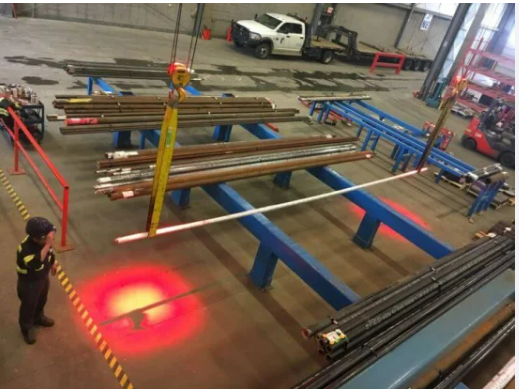
Overhead cranes create a safety challenge that is difficult to communicate with fixed floor markings: the hazard moves. A painted exclusion zone cannot follow a crane hook or suspended load as it travels across a production area.
Crane warning lights address this visibility problem by projecting lines, spots, dots or warning graphics onto the floor in relation to the crane or load position. The projected warning moves with the equipment, giving people at ground level an additional visual cue that the overhead hazard is nearby.
What does a crane warning light do?
The projector is mounted on the crane structure or at another engineered mounting position. Its optical output is directed toward the floor. Depending on the application, one or more projectors can indicate the sides of a moving zone, the approximate position of the hook/load, or a warning area around the suspended load.
The system is a visual warning aid. It should be integrated into the facility’s broader risk-control approach rather than treated as a substitute for operating procedures, physical controls or required crane-safety practices.
Lines, spots and projected symbols
Different projection formats serve different purposes. Lines can create visible boundaries on one or more sides of a crane travel path. Spots or dots can provide a simple positional reference. Gobo-based LED projectors can display a warning symbol or text where a more explicit message is needed.
The choice depends on mounting height, required zone dimensions, floor conditions, viewing direction and the type of information workers need to recognize.
Why moving visual warnings can be useful
Factories are often noisy and visually complex. Audible alarms may compete with machinery noise, while fixed signs may not indicate the current position of a moving overhead load. A floor-level visual cue can add another layer of awareness in the area where pedestrians and material-handling equipment operate.
Because the projection is created optically, the warning area can move with the crane rather than remaining fixed in one location.
Key engineering inputs
Crane applications often involve greater mounting heights than normal warehouse floor-marking projects. This makes optical selection especially important. The project should define the mounting height, required projected geometry, ambient illumination, crane travel arrangement and available mounting positions.
Environmental protection also matters. Industrial crane installations can involve dust, heat, vibration and long operating periods. The mounting hardware and electrical installation should be selected accordingly.
Control and integration
Depending on the project, crane warning projection may operate whenever the crane is energized or may be linked to a control signal so that it activates during defined crane movements. More advanced systems can combine visual projection with sensing or pedestrian-detection technologies.
The control concept should be agreed during project design so that the warning appears when it is operationally meaningful.
How many projectors are required?
There is no universal number. A single projector may be sufficient for a simple positional warning, while a defined perimeter may require multiple projectors. Crane width, load size, mounting height, desired zone shape and obstructions all influence the layout.
What to provide for project selection
Send the crane type, mounting height, approximate load dimensions, desired warning pattern, ambient-light information, available voltage, operating environment and site photos. A drawing showing crane travel and the desired floor warning area is particularly useful.
SNT application approach: a crane warning-light project should begin with the required hazard visualization on the floor and work backward to the projector, lens, mounting position and control method.
SNT Engineering & Selection Framework
Related Technical Articles & Engineering Guides
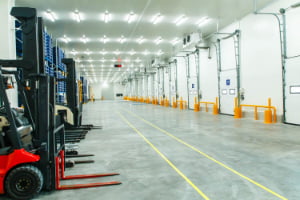
How to Choose an LED Safety Line Projector for a Warehouse
Mounting height, required line length, ambient light and installation geometry matter more than wattage alone. This practical guide…
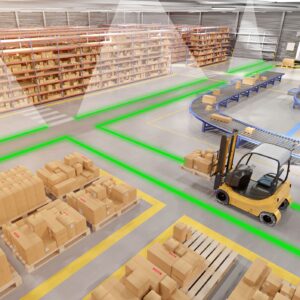
Virtual Safety Signs vs. Floor Paint and Tape: Which Works Better in Industrial Facilities?
Floor paint and tape remain useful for permanent markings, but projected safety signs offer a flexible, non-contact option…
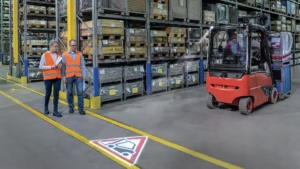
Forklift Safety Projection Lights: A Practical Guide for Warehouses and Factories
Forklifts operate close to pedestrians every day in warehouses, manufacturing plants, loading areas, and distribution centers. Blind corners,…